
 By
·
2 minute read
By
·
2 minute read
Here’s Why That Matters for Financial Services
If you work in a regulated industry, you know the pain: a compliance officer needs to review an email before it goes out, and you’re stuck taking screenshots, cobbling together a PDF manually, or granting HubSpot access to someone who just needs to see the design. HubSpot’s new email export feature changes that workflow entirely.
What’s New
HubSpot has added a native export option inside the Marketing Email editor. You can now export any email design as a PDF or HTML file directly from HubSpot — no third-party tools, no workarounds.
The export is accessible in two places:
- Inside the email editor: File → Export email design
- From the performance page: Actions → Export email design
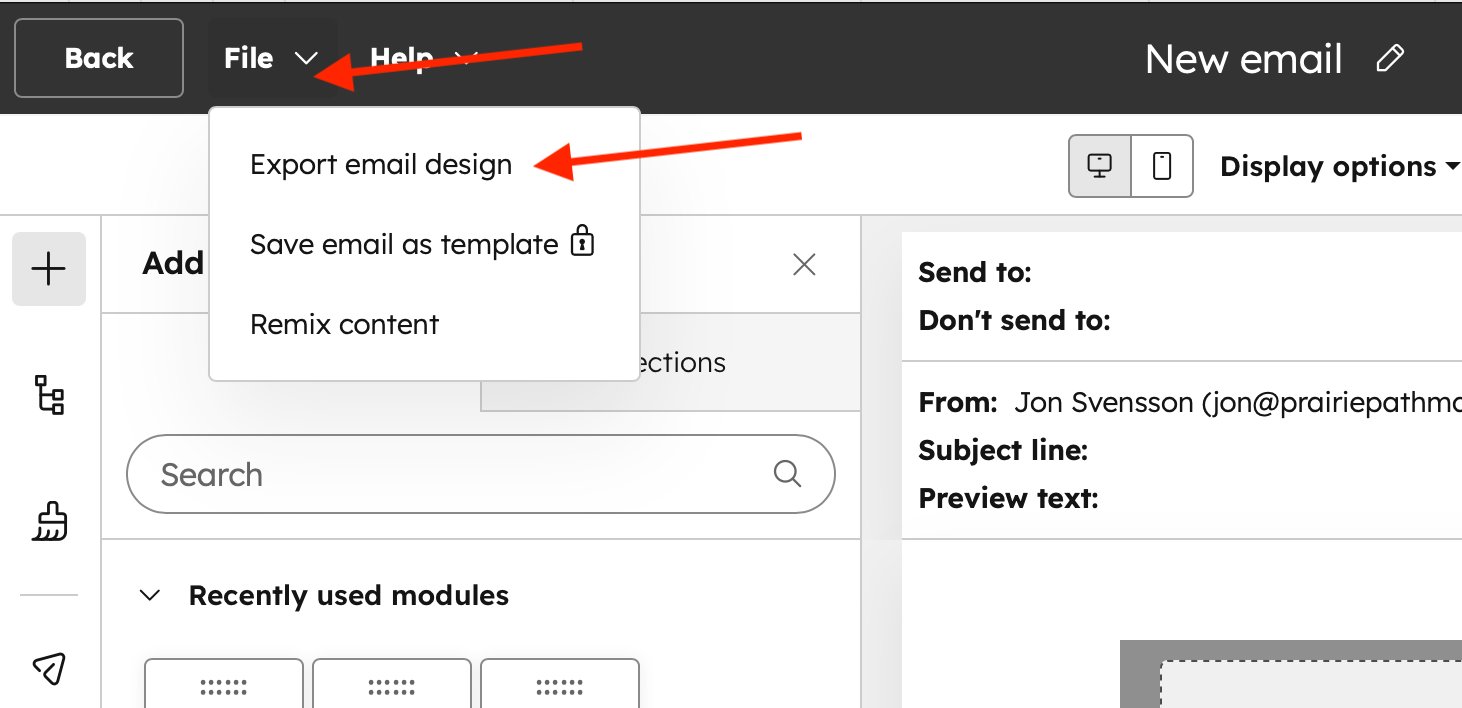
Step 1: Click File → Export email design from the editor toolbar
Export Options
When you trigger the export, a modal prompts you to configure:
- File name — set a descriptive name for archiving or tracking purposes
- Delivery email — a download link is sent to a specified address in addition to the browser download
- File format — PDF (default) for review and archiving; HTML for developer handoff
- Personalized content — choose to render with live contact tokens or show default fallback content
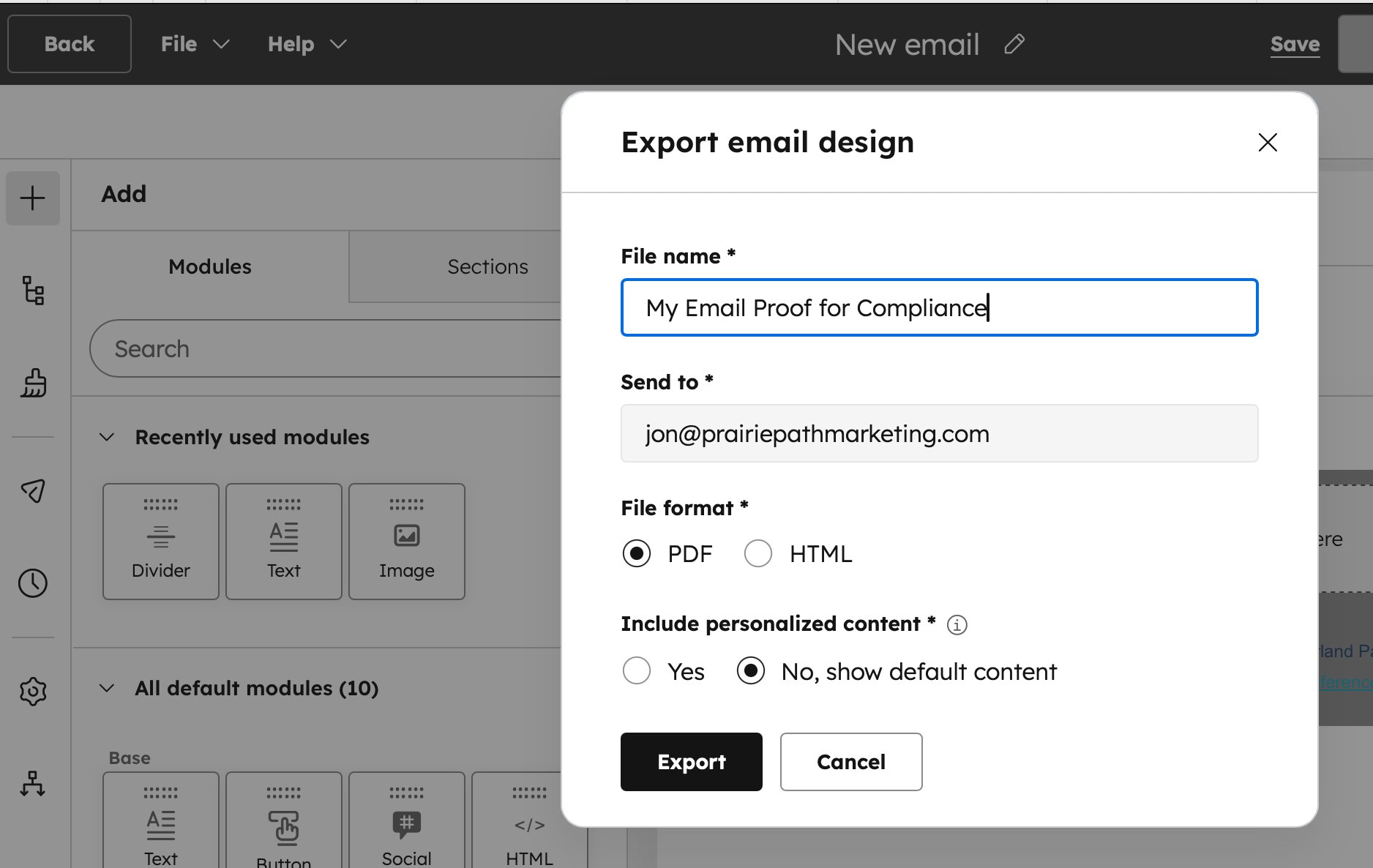
Step 2: Configure file name, delivery email, format, and personalization options
Why It Matters for Financial Services
For financial advisors, RIAs, broker-dealers, and wealth management firms operating under FINRA, SEC, or state-level marketing rules, this feature directly addresses three operational pain points:
1. Compliance review and approval
Many firms require principal review of outbound marketing communications before deployment. Previously, that review required either a HubSpot login or a manually assembled proof. Now, you export a clean PDF, attach it to your compliance workflow (email, ShareFile, your firm’s review platform), and get sign-off without giving outside reviewers access to your HubSpot account.
2. Recordkeeping and archiving
Regulators can require firms to retain copies of client communications. A native PDF export provides an exact rendering of the email as designed — fonts, layout, images, and content intact — suitable for long-term archive storage in your document management system.
3. Stakeholder reviews without HubSpot access
Whether it’s a firm partner reviewing a campaign, an outside legal counsel vetting language, or a client signing off on co-branded content, the PDF export creates a shareable proof that doesn’t require the reviewer to log into anything.
How to Use It
The workflow is straightforward:
- Open any draft email in the HubSpot email editor
- Click “File” in the top navigation bar
- Select “Export email design”
- Set your file name, delivery email, format, and personalization preference
- Click Export — the file downloads immediately and a link is sent to your specified email
Note: If you’re running A/B test versions, HubSpot will prompt you to select which version to export before generating the file.
Bottom Line
This is a small feature with meaningful operational impact for regulated industries. If your email approval and archiving workflow has been a manual process, this removes the friction. Build the export step into your pre-send compliance checklist and you’ll have a defensible, accurate record of every campaign that goes out the door.
Questions about optimizing your HubSpot email workflows for compliance? Reach out to Prairie Path Marketing.